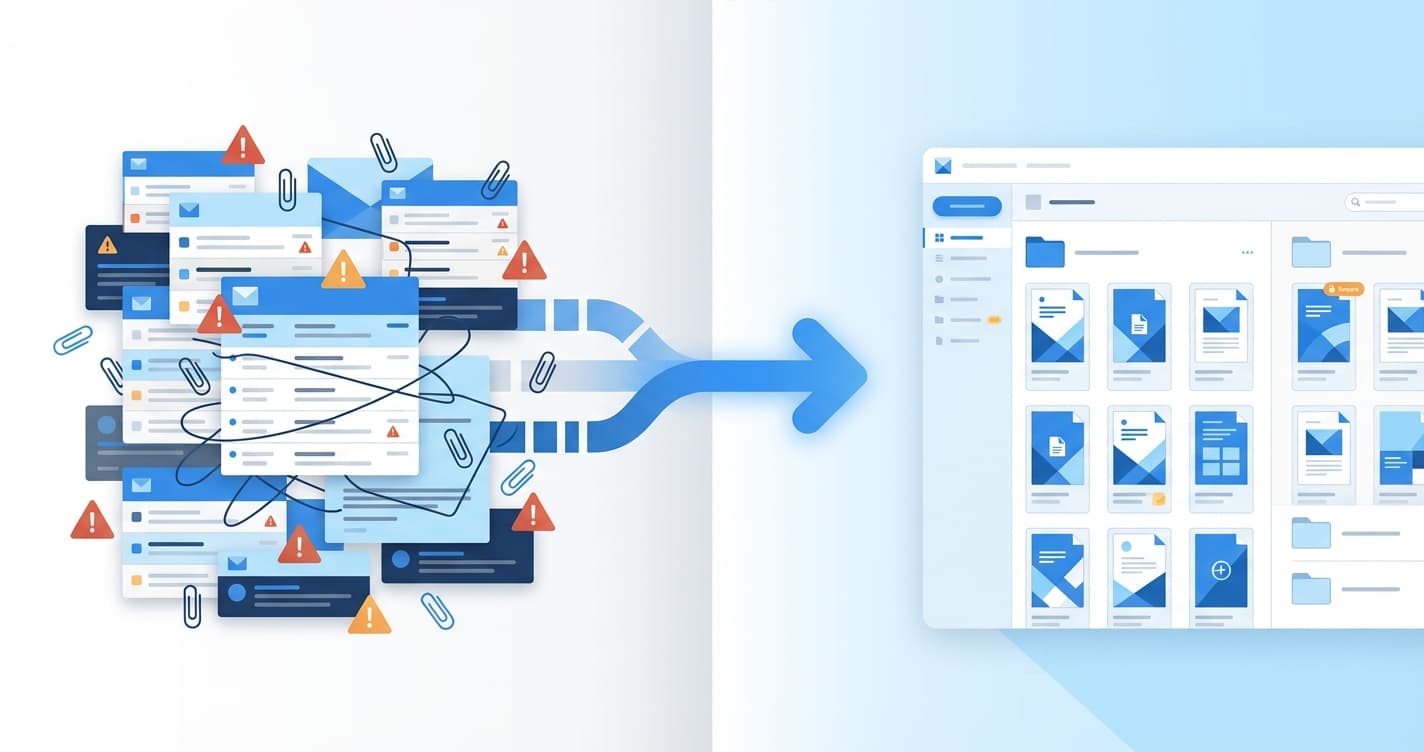
Deal Room vs Email: How Top CRE Brokers Share Documents
Why the best commercial real estate brokers are replacing email attachments with virtual deal rooms — and how to set one up in minutes.
The Email Attachment Era Is Over
Here's a scenario every CRE broker knows: you've just finalized a 75-page offering memorandum for a Class A multifamily property. The photography is stunning, the financials are airtight, and the market comps tell a compelling story. Time to send it out.
You open Gmail, attach the PDF, and — file too large. The OM is 48MB. So you compress the images (goodbye, stunning photography), split it into two parts (goodbye, narrative flow), or upload it to Google Drive and send a link (goodbye, professionalism and tracking).
Now multiply this by every document in a deal package: the OM, rent roll, T-12, environmental Phase I, survey, floor plans, title report, and market research. You're managing a dozen attachments across hundreds of emails, with no visibility into who has seen what.
This is why top-performing brokerages are switching to virtual deal rooms.
What Is a Virtual Deal Room?
A virtual deal room is a single, branded link that gives investors access to all the documents related to a deal. Instead of emailing individual attachments, you share one URL. Behind that URL, investors find an organized collection of interactive documents they can browse without downloading anything.
Think of it as a private, branded website for your deal — with analytics built in.
Why Deal Rooms Win
1. One Link, Every Document
Instead of sending five separate emails with different attachments (and inevitably getting "can you resend the rent roll?"), you share a single link. The deal room contains:
- The offering memorandum (as an interactive flipbook)
- Financial documents (T-12, rent roll, pro forma)
- Due diligence materials (Phase I, survey, title)
- Property photography and floor plans
- Market research and comps
When you add a new document, every investor with the link automatically has access to it. No resending. No version confusion.
2. Engagement Intelligence
Email tells you nothing after you hit send. A deal room tells you everything:
- Which investors are actively engaged — who opened the deal room this week?
- What they're focused on — are they spending time on financials or property photos?
- When they're engaging — a Friday night deep-dive into the rent roll is a different signal than a quick Monday morning scan
- How often they return — multiple visits signal serious interest
This intelligence transforms your follow-up strategy. Instead of blind-calling your entire investor list, you can prioritize the investors who are actually doing homework on the deal.
3. Access Control
Not every deal is public. Many transactions require confidentiality at different stages:
- Teaser phase: Share a summary with your broad network, capture leads from interested parties
- OM phase: Restrict access to qualified investors who signed a CA
- Best-and-final: Lock the room after the deadline with an expiration date
- Post-closing: Revoke access entirely
A deal room gives you granular control at every stage. Password-protect the room, require an NDA before access, set expiration dates, and see exactly who has accessed what.
4. Professional Presentation
A deal room with your logo, your branding, and interactive document viewers communicates something important: this brokerage invests in technology and takes presentation seriously.
It's the same reason top firms use professionally designed OMs instead of Word documents. The medium is part of the message.
How to Set Up a Deal Room in Bounder
Setting up a deal room takes about 5 minutes:
Step 1: Upload Your Documents
Upload each document as a separate flipbook in Bounder. Each one gets its own analytics, access controls, and customization.
For a typical multifamily deal, you might create:
123-main-st-om— The offering memorandum123-main-st-financials— T-12 and rent roll123-main-st-market— Market research report123-main-st-photos— Property photography book
Step 2: Create a Folder
Group the flipbooks into a folder. This is your deal room. Give it a name ("123 Main Street — Investment Opportunity") and add a description.
Step 3: Share the Room
Toggle the folder to "shared" and you'll get a single link: getbounder.com/room/123-main-street. This is the URL you distribute to investors.
Step 4: Configure Access
Decide your access strategy:
- Open access for widely marketed deals
- Lead capture to collect investor details before revealing documents
- Password protection on individual documents for confidential materials
- Expiration dates tied to your deal timeline
Step 5: Monitor Engagement
As investors access the deal room, your analytics dashboard lights up. You'll see:
- Total views across all documents
- Per-document engagement (who read the OM vs. who only looked at photos)
- Time spent per page
- Return visit patterns
Deal Room Best Practices
Update the room, don't resend. When you have a new document or an updated version, add it to the deal room. Investors with the link automatically see the latest materials. Send a brief email noting the update, but let the room be the single source of truth.
Name documents clearly. "Q1-2026-Market-Report" is better than "Report_Final_v3." Investors should be able to find what they need without guidance.
Use lead capture strategically. For widely marketed deals, require name and email before access. For existing relationships, skip the gate — friction reduces engagement.
Set expectations in your email. When you share the deal room link, briefly explain what investors will find inside and how to navigate it. A one-sentence orientation goes a long way.
Review analytics weekly. Set a recurring calendar block to review deal room engagement. The patterns will inform your call list and follow-up messaging.
The Competitive Advantage
In competitive bid situations, the brokerage that presents most professionally and follows up most intelligently wins. Deal rooms give you both:
- Presentation: Your materials look premium and are easy to navigate
- Intelligence: You know which investors are serious before you pick up the phone
The firms that adopted email early had an advantage over the ones still faxing. The firms that adopt deal rooms now will have the same edge over the ones still emailing 50MB attachments.
Get Started
You can set up your first deal room in under 10 minutes. Create a free Bounder account, upload your documents, create a folder, and share the link. You'll see the difference in engagement immediately.